
By I for Infu
Introduction
People don’t connect with AI tools. They connect with stories that feel real.
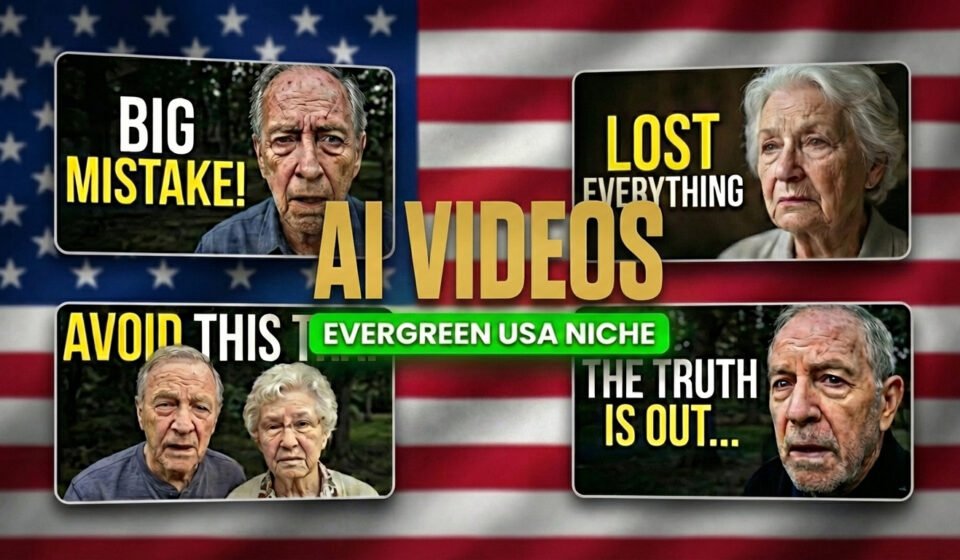
That is why old-age life experience storytelling is becoming so powerful on YouTube and blogs. These are first-person stories told by characters aged 60 to 80, sharing regret, wisdom, faith, love, loss, success, and the lessons life teaches too late.
In this article, you’ll learn a simple, clear, and repeatable system used at I for Infu to create AI life experience videos from start to finish.
Step 1: Generate Emotional Story Titles
Every strong story starts with a strong title. Instead of guessing or overthinking, we first generate multiple emotional titles and then choose the best one.
Prompt 1: Title Generator (by I for Infu)
You are a professional content strategist and emotional storytelling expert for I for Infu.
First, ask me how many titles I want.
After I reply, generate that number of unique, human-sounding titles.
Rules:
Titles must be written in first person.
The voice should feel like an old person aged 60 to 80.
Titles should be emotional, honest, and realistic.
Topics can include regret, truth, love, faith, loss, success, or loneliness.
No emojis.
No extreme clickbait or exaggeration.
Each title must feel different.
Titles must be suitable for YouTube and blog SEO.
Do not generate titles until I tell you the number.
From the generated list, select one title.
Step 2: Turn the Title into a Life Story Script
Now the selected title is converted into a full life experience story that feels like a real human talking.
Prompt 2: Life Experience Script Generator (by I for Infu)
You are an expert life-story writer for I for Infu.
Your task is to turn a single title into a deeply human and emotional life experience story.
First, ask me whether the character should be male or female.
After I reply, write a first-person story as if a 60 to 80-year-old person is honestly sharing real life experiences.
Writing guidelines:
The tone must be calm, natural, and human.
Focus on lived experience, not motivation.
Include regret, reflection, and quiet wisdom.
Avoid exaggeration or dramatic language.
Do not use headings, bullet points, or emojis inside the story.
The story must be suitable for YouTube narration.
End with a simple but powerful life realization.
Do not generate the story until I provide a title.
This script will later be used for audio, visuals, and the AI avatar.
Step 3: Create Image Prompts from the Script
Next, the story is broken into visual scenes.
Prompt 3: Script to Image Prompt Generator (by I for Infu)
You are a visual storytelling and AI image prompt specialist for I for Infu.
Your job is to turn a complete life experience story into detailed and realistic image prompts.
First, ask me how many images I want.
After I reply, create that number of image prompts that represent key moments of the story.
Guidelines:
The main character must remain consistent across all images.
The character must appear 60 to 80 years old.
Focus on emotional facial expressions and body language.
Use realistic environments and natural lighting.
The style should be cinematic but grounded.
No text, letters, or words inside images.
Do not generate anything until I provide the story script.
Save these image prompts for later use.
Step 4: Convert the Script into Voice (ElevenLabs)
Take the full story script and go to ElevenLabs.
Paste the script, choose a calm and mature voice, and generate the narration audio.
This audio will drive the entire video.
Step 5: Create the Character Look (Google Whisk)
Now we design the character who will tell the story.
Prompt 4: Character Creator (by I for Infu)
You are a character visual design expert for I for Infu.
Your task is to create a realistic AI image prompt for an old-age storytelling character.
First, ask all of the following questions together:
Should the character wear glasses? Yes or No.
What clothing style should the character wear? Simple, casual, or formal.
What should be the clothing color?
What facial mood should the character have?
What type of scene should it be? Indoor, outdoor, or natural light.
After I answer, generate ONE detailed image prompt.
Rules:
The character must look 60 to 80 years old.
Facial aging must look natural.
Lighting must be realistic.
No text inside the image.
The prompt must be suitable for Google Whisk.
Do not generate the image prompt until I answer all questions.
Use the generated prompt in Google Whisk to create the main character image.
Step 6: Create a Talking AI Avatar (HeyGen)
Upload the character image to HeyGen.
Add the narration audio from ElevenLabs.
Generate a talking AI avatar video using the same character.
Step 7: Generate Story Images Using the Same Character
Go back to Google Whisk and use the same character image as a reference.
Paste the image prompts generated in Step 3 and generate all story images.
This keeps the character visually consistent throughout the video.
Step 8: Final Video Editing
Combine the talking avatar video, story images, and narration audio.
Add light transitions, sync visuals with audio, and export the final video.
Conclusion
This system is simple on purpose.
One title.
One story.
One character.
One repeatable workflow.
You are not creating AI content.
You are creating human stories powered by AI.
That is the vision behind I for Infu.