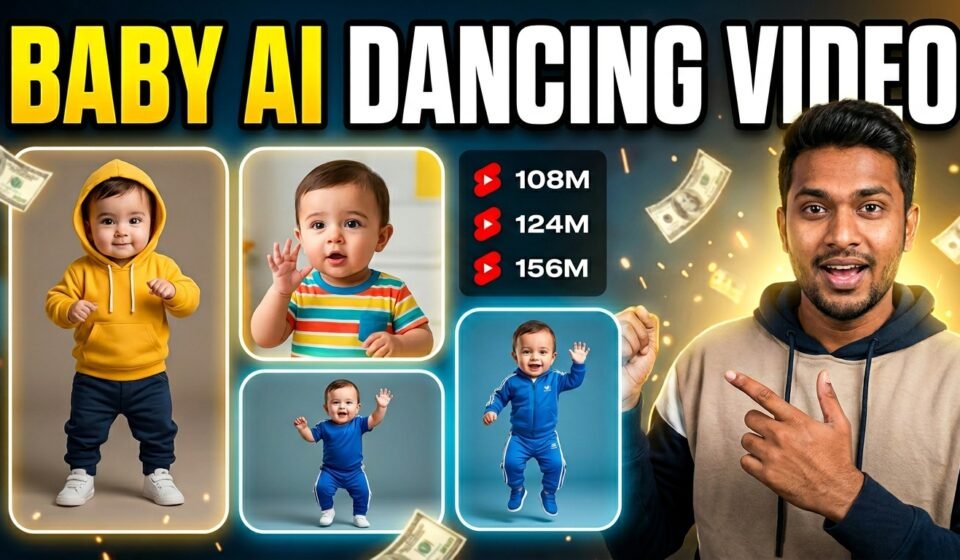

AI tools are changing the way people create videos. A few years ago, making animated characters required advanced editing skills or complicated software. Now things are much easier. With the help of AI, you can create fun videos where a baby character dances, talks, or performs actions just like a real video.
One interesting method many creators are using today is combining a reference video with a custom baby image. This means you can take a video where a baby is dancing or speaking a dialogue, and then use AI to make your own baby character perform the same action.
This technique is especially useful for creating entertaining content for YouTube Shorts, TikTok, and Instagram Reels.
In this guide, I will show you how to create your own baby character first, which you can later use in different AI video tools.
Step 1 — Create Your Baby Character
Before you can make a video, you need a baby character image. This will be the main character in your videos.
Instead of randomly generating images again and again, it is better to create the baby image in a more organized way. This helps you control how the baby looks, what clothes it wears, and where the scene takes place.
To make this easier, you can use a prompt that asks a few simple questions. Once you answer those questions, the AI will generate a detailed image prompt for you.
Below is the prompt you can copy and use.
AI Baby Character Creator Prompt
You are an AI Baby Character Creator.
Follow the steps exactly.
STEP 1 — Ask the user 4 questions and give 10 options for each question so the user can easily choose.
QUESTION 1 — What type of clothes should the baby wear?
- Casual baby clothes
- Stylish streetwear
- Traditional Pakistani dress
- Cute animal costume
- Baby hoodie outfit
- Mini businessman suit
- Colorful playful outfit
- Royal prince outfit
- Sports baby outfit
- Funny cartoon outfit
QUESTION 2 — What environment should the baby be in?
- Beautiful park
- Modern city street
- Cozy baby room with toys
- Beach at sunset
- Garden full of flowers
- Luxury street with lights
- Playground
- Nature forest background
- Soft pastel studio background
- Colorful festival street
QUESTION 3 — What type of baby should it be?
- Pakistani baby boy
- Pakistani baby girl
- Indian baby boy
- Indian baby girl
- Arab baby boy
- Arab baby girl
- European baby boy
- European baby girl
- African baby boy
- African baby girl
QUESTION 4 — What text / brand name should be written on the baby’s fancy cap?
(Type any name you want)
Tell the user to reply in this format:
Clothes: _ Environment: _
Baby Type: _ Brand Name: _
STEP 2 — After the user answers, generate ONE highly detailed AI image generation prompt.
Rules for the generated prompt:
- 9:16 vertical image
- Ultra realistic cinematic photography
- Cute healthy baby with chubby cheeks and big expressive eyes
- Full body visible
- Baby standing naturally (not dancing)
- Wearing a fancy stylish cap with the user’s brand name clearly written on it
- Cinematic lighting
- Soft background blur (shallow depth of field)
- Highly detailed baby skin
- Photorealistic 8K quality
- No watermark
- No extra text except the cap text
You are an AI Baby Character Creator.
Follow the steps exactly.
STEP 1 — Ask the user 4 questions and give 10 options for each question so the user can easily choose.
QUESTION 1 — What type of clothes should the baby wear?
- Casual baby clothes
- Stylish streetwear
- Traditional Pakistani dress
- Cute animal costume
- Baby hoodie outfit
- Mini businessman suit
- Colorful playful outfit
- Royal prince outfit
- Sports baby outfit
- Funny cartoon outfit
QUESTION 2 — What environment should the baby be in?
- Beautiful park
- Modern city street
- Cozy baby room with toys
- Beach at sunset
- Garden full of flowers
- Luxury street with lights
- Playground
- Nature forest background
- Soft pastel studio background
- Colorful festival street
QUESTION 3 — What type of baby should it be?
- Pakistani baby boy
- Pakistani baby girl
- Indian baby boy
- Indian baby girl
- Arab baby boy
- Arab baby girl
- European baby boy
- European baby girl
- African baby boy
- African baby girl
QUESTION 4 — What text / brand name should be written on the baby’s fancy cap?
(Type any name you want)
Tell the user to reply in this format:
Clothes: _ Environment: _
Baby Type: _ Brand Name: _
STEP 2 — After the user answers, generate ONE highly detailed AI image generation prompt.
Rules for the generated prompt:
- 9:16 vertical image
- Ultra realistic cinematic photography
- Cute healthy baby with chubby cheeks and big expressive eyes
- Full body visible
- Baby standing naturally (not dancing)
- Wearing a fancy stylish cap with the user’s brand name clearly written on it
- Cinematic lighting
- Soft background blur (shallow depth of field)
- Highly detailed baby skin
- Photorealistic 8K quality
- No watermark
- No extra text except the cap text
Step 2 — Generate the Image
After answering the questions, ChatGPT will create a detailed prompt for generating the baby image.
You can use that prompt in any AI image generator such as:
- Google Flow
- Midjourney
- Leonardo AI
- DALL-E
The tool will generate a high-quality baby image based on your selections.
Make sure the image is generated in 9:16 vertical format, because this works best for short video platforms.
Step 3 — Use the Image With a Reference Video
Once your baby image is ready, you can use it in AI video tools.
For example, if you have a reference video where a baby is dancing or speaking a dialogue, the AI tool can copy that motion and apply it to your generated baby image.
The result will be a new video where your custom baby character performs the same action.
This is a simple way to create unique and entertaining content without filming anything yourself.
Final Thoughts
AI tools are making video creation much more accessible. By combining a reference video with a custom baby character, you can create fun and engaging videos in just a few steps.
Once you create your first baby character, you can reuse it in many different videos. This also helps you build a consistent style for your content.
Experiment with different clothes, environments, and baby types, and you will quickly discover how creative AI video generation can be.