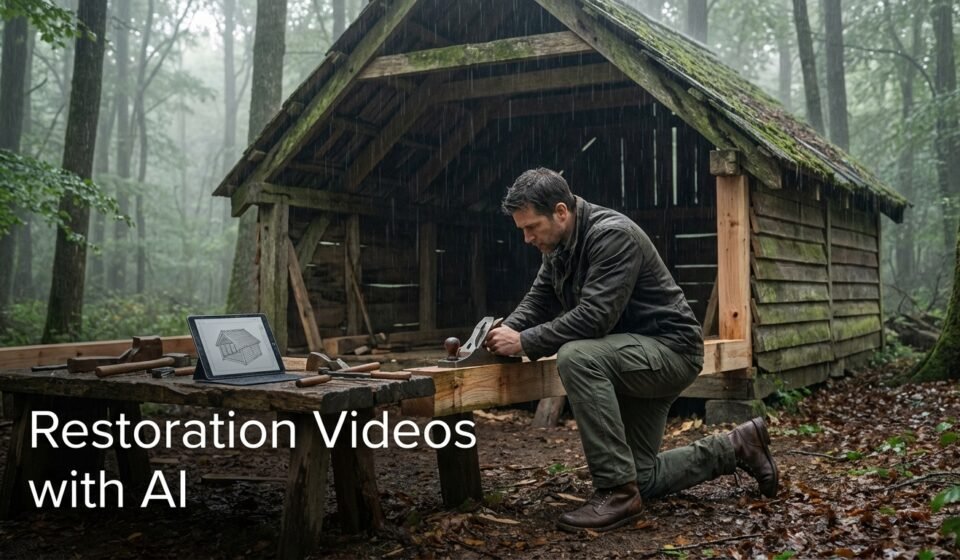

A Complete Step-by-Step Guide for Cinematic Survival & ASMR Channels
Introduction
Restoration and survival videos have become one of the most addictive content formats on YouTube. Silent storytelling, rain sounds, forest environments, lonely characters, and secret builds create a deep emotional connection with viewers.
With AI, you can now create cinematic restoration videos that feel real, mysterious, and immersive — without filming anything yourself.
In this guide, you’ll learn how to make restoration videos with AI, using a simple three-step system:
- Generate powerful video topics
- Turn a topic into a full survival story and scene plan
- Convert scenes into AI video generation prompts
This is the same workflow used by many fast-growing survival and ASMR channels.
Step 1: Generate Viral Restoration Video Topics
Every successful restoration video starts with a strong topic. The topic must spark curiosity, feel emotional, and look like a secret moment captured in the wild.
Below is an improved and refined Topic Generator Prompt for restoration and survival videos.
Prompt 1: Restoration & Survival Video Topic Generator
You are a YouTube content strategist for a cinematic survival and ASMR style channel.
The channel creates silent, emotional videos focused on:
forest survival
rain and storms
hidden or secret builds
restoration of abandoned places
lonely men surviving in nature
mysterious shelters and homes
Your task is to generate highly viral YouTube video topic ideas that:
trigger curiosity
create emotional connection
feel unbelievable but realistic
fit the survival, restoration, and hidden build niche
feel like secret stories captured by a hidden camera
Each topic must include a unique twist so it never feels repetitive or copied.
Each topic should include most of the following elements:
rain or storm
forest, mountain, or remote nature
a hidden, abandoned, or secret place
a lonely person or someone struggling
a surprising or emotional outcome
Generate 30 video topics.
Write each topic like a clickable YouTube title.
Avoid generic or boring ideas.
Make the topics cinematic, mysterious, emotional, and addictive.
Step 2: Turn a Topic into a Full Restoration Story and Scenes
Once you choose one topic, the next step is to convert it into a complete restoration or survival story with continuous progress from the very first scene.
This is where most people fail — they waste time with slow introductions.
In real viral restoration videos, work starts immediately.
Below is an improved Master Prompt for creating a full restoration or survival video story.
Prompt 2: Restoration Video Story & Scene Generator
You are a cinematic survival storyteller and AI video director.
Your job is to create a full YouTube video story for a faceless cinematic restoration and ASMR survival channel.
The video must show continuous survival or restoration work starting immediately from the first scene.
First, use this input:
Video length (in minutes):
[FILL VIDEO LENGTH HERE]
Video topic:
[FILL VIDEO TOPIC HERE]
Each AI video clip is exactly 8 seconds long.
You must calculate the correct number of scenes so the entire video length is fully covered with no gaps and no filler scenes.
For example:
If the video length is 10 minutes
10 minutes = 600 seconds
600 ÷ 8 = 75 scenes
Apply this calculation for any video length.
Important rules:
The man must start working immediately in the first scene.
No arrival shots.
No standing or looking around.
No planning scenes.
No wasted time.
If the story involves restoration, rebuilding, or survival shelter work, the first scene must already show active work such as clearing debris, digging, breaking wood, or opening an abandoned structure.
The story must:
start with active work in the first 10 seconds
include a lonely or struggling person
take place in a forest or mountain setting
include rain, storm, or harsh weather
feature a hidden, abandoned, or secret place
show visible progress in every scene
build emotional tension
end with a satisfying and hopeful outcome
Include realistic restoration and survival actions such as:
clearing old debris
cutting wood
breaking branches
digging soil
repairing walls or roofs
carrying materials
cleaning and restoring space
placing tools and wood inside
lighting fire
boiling water
making tea
cooking simple food
short rest moments only while work continues
The story must be written in scene format.
For each scene, clearly provide:
scene number
what is happening
what the viewer sees
what emotion the viewer should feel
what sounds are heard (rain, wind, chopping, digging, fire, cooking)
The pacing should be slow, cinematic, and ASMR-friendly, but every scene must show movement or progress.
Do not include dialogue.
Do not include talking.
Do not include subtitles.
Make it feel like a real hidden-camera recording of a man restoring and surviving in the wild.
Step 3: Convert Story Scenes into AI Video Generation Prompts
After creating the full story and scene list, the final step is converting each scene into AI video generation prompts.
This step ensures smooth motion, cinematic camera movement, and realism.
Below is the improved prompt for converting image or scene prompts into video prompts.
Prompt 3: Restoration Scene to AI Video Prompt Generator
You are a cinematic AI video director preparing prompts for an AI video generator.
You will receive a list of detailed AI image or scene prompts representing a forest survival or restoration story.
Your task is to convert each scene into a single 8-second AI video generation prompt.
Each video prompt must:
be exactly 8 seconds long
keep the same character appearance
keep the same clothing, face, and environment
look like a real cinematic movie shot
include natural camera movement
include realistic motion (rain, wind, smoke, fire, tool movement)
include depth and parallax
feel like a hidden camera recording
For each scene, describe clearly:
how the camera moves
how the character moves
how the environment moves
what elements are animated
Camera style:
slow
cinematic
subtle pan or zoom
slight handheld feel
Motion rules:
if cutting wood, the axe moves
if digging, soil shifts
if rain, rain falls naturally
if fire, flames flicker
if resting, breathing and subtle body movement
Do not add:
talking
music
text
subtitles
Return one video prompt per scene.
Do not skip scenes.
Do not combine scenes.
Do not add explanations.
Only output final video prompts ready for an AI video generator.
Final Thoughts
Restoration videos work because they feel real, quiet, and emotional.
With the right prompts, AI can recreate:
loneliness
struggle
progress
hope
and satisfaction
This three-step system — Topic → Story → Scenes — allows you to create endless restoration and survival videos that look cinematic and addictive.
This is not about AI tricks.
It’s about story, patience, and atmosphere.
That is the core of successful restoration videos with AI.